
Understanding Utilization in Zylo with Usage Connect
- 0.5
- 1
- 1.25
- 1.5
- 1.75
- 2
Thom McCorkle: Hi, I'm Thom McCorkle, Director of Product Marketing at Zylo. Welcome to our customer tips series. Today we're going to talk about using Usage Connect 90 days out from your renewal. Let's step back. Why is usage data important at renewal? Well, ultimately, we don't want to renew shelf- ware or inactive licenses that aren't being used. So this is going to give us the opportunity to hit that best practice target of 90% licenses active and allocated, so you have a little bit of a buffer to account for new users who need an application. Also, as a tip, talk to your stakeholders. If it's a business app, talk to those department heads. If it's an IT app, talk to the person who's managing that. See if we have any needs for headcount growth or reduction in the coming year, so you can get that number nice and tight.
Thom McCorkle: So how do we get usage data inside of Zylo? Really, it's going to come from three different places. First is going to be direct integrations. These are direct connections with the SaaS applications using those APIs, and those are built and maintained by Zylo. Best practice is if you are a customer and you have a direct integration available to you, use that. That's going to be pretty much set and forget, where you can set up that integration and on a regular cadence, usually nightly, sometimes live, you're going to get a feed of data from that application so you don't have to think about refreshing and maintaining that information. Next is going to be SSO. SSO is great because it gives you a single connection into the SSO provider that you're going to get usage for many, many applications. Now, SSO has some limitations that we want you to be aware of. First, it's not going to have license information. So especially if you have a tool where there is a mix of free and paid licenses, or you need to know some of those licensing details that are associated with a given user, you might have some gaps in your data, and that's where we're going to solve that with Usage Connect. There's also instances where you might want to have extra detail. Let's say you're looking at Smartsheet. Well, it's really important to know does this person, does this user have sheets that are being owned? Do they have sheets that are shared outside of their individual user? If not, that could make them a candidate for a free license. In this case, we have a direct integration, but I wanted to show that as an example where that data doesn't come through via SSO. Now, let's talk about Usage Connect. If you're looking at an application that you're regularly managing on an ongoing basis, I would recommend that you set up an automatic connection where that data is regularly being updated. But for the purposes of this tip, we're assuming that you're looking at an application. It doesn't have a direct integration, it's not behind SSO or that data has some gaps and you don't have an automatic connection set up.
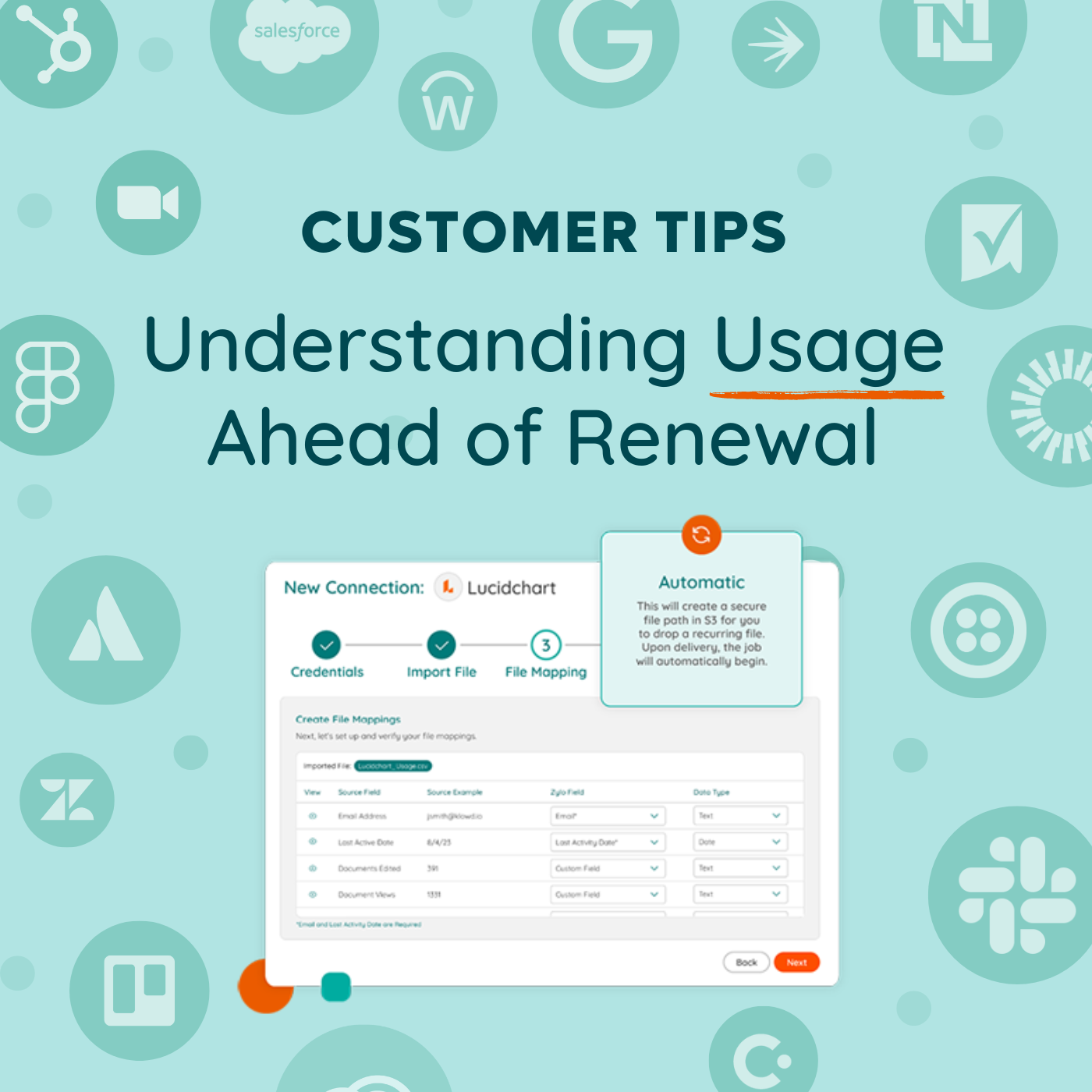
Thom McCorkle: So how are we going to leverage Usage Connect 90 days ahead of renewal in that instance? Well, it's super simple. First, we're going to work with our app owners or our admins to get a report. Those typically live inside of admin panels, and it's easy for them to download and send that information over. You also might have some other kinds of logging that IT has for a given tool, so make sure that you check in on that. Then it's as easy as uploading that data, mapping it and importing. When you map that data and do that first time upload, it's really easy. It's really a straightforward user experience and that mapping gets saved. So if you ever want to refresh this data in the future, it's already set up for you. All you have to do is push that file. We recommend mapping as many fields as you think you might possibly need. I tend to err on just map everything because I never know what somebody downstream might want to see around the usage of an application.
Thom McCorkle: So what does this unlock? It unlocks workflows. We just did that tip. Go ahead and check that out for running workflows ahead of your renewals so you can pull back those inactive users and not buy a bunch of shelf- ware. It also allows you to send sentiment surveys. So find out if those folks actually like the applications that you're providing to them. And then finally, we're going to surface users who have left the company. If there are any users that got missed in your off- boarding processes that you have set up at your business, we will highlight that inside of an insight. So you can see, hey, here's a user who's still sitting out with a license, but they're not in our HRIS feed anymore. You want to make sure that you're pulling back those seats as well. Check out the knowledge base for best practices and reach out to your CSM. They're always here to help. Stay tuned for our next tip. We're going to talk about benchmarking 60 days out from the renewal.
DESCRIPTION
License waste runs rampant in the modern SaaS stack, with 51% of provisioned licenses being unused on a monthly basis. The last thing you want to do is renew shelfware or buy more licenses than are being used. That’s why usage data is so critical to review 90 days ahead of a renewal. In this video, we'll cover:
- The importance of usage data at renewal
- How to get license data in Zylo
- How to use Usage Connect
- Zylo use cases unlocked by Usage Connect
Recently Added
How to Set Up Automated Alerts in Zylo
10.15.2024
How to Track Your SaaS Budget in Zylo
10.03.2024
Getting Started with Zylo's Dashboards & Custom Widgets
09.20.2024
How to Build A Saved Filter in Zylo
09.03.2024
How to Calculate Cost Per User & Showbacks in Zylo
08.21.2024
How to Track Renewal Cost Savings in Zylo
08.15.2024